


TIMEFLIK Watch Faces
3.92.53K Reviews
App Specs
- Version
- Varies with Device
- Updated On
- License
- Free
- Downloads
- 10,000,000+
- Developer
- TIMEFLIK
- Categories
- Personalization
- Platform
- Android, iOS
Screenshots
 Analysis by AppCompare
I treat a watch-face app as a small but personal choice: it changes what I see every time I check the time, and it can also shape how quickly I get useful information from my wrist. TIMEFLIK Watch Faces is a personalization app from TIMEFLIK built around browsing and styling watch faces. I’d consider it if I enjoy changing the look of my smartwatch, but I’d judge it by more than the size of its design collection: the practical questions are how much control I have, what I choose to share, and whether the experience suits the way I use my watch.
Trust starts with choices, not promises
TIMEFLIK is free to install, rated for Everyone, and has a 3.9 average from around 68,000 ratings, with over 10 million installs. Those figures suggest that many people have tried it, but they cannot tell me how the app handles personal information or whether every face will work with my particular watch. I prefer to treat popularity as context rather than proof of trustworthiness.
The app’s purpose also matters when deciding whether it belongs on a device I wear throughout the day. A watch-face marketplace is primarily about discovering and applying designs, not a necessity for checking the time. If you are cautious about adding apps, it is reasonable to ask whether a new look is worth another account or another app’s access to your device. I would read the current permission prompts and privacy information before proceeding, rather than assuming that a customization app needs no sensitive access.
What I can check before committing
The most useful habit is to pause at each permission request and connect it to something I actually want to do. If a prompt appears, I would check its wording and consider whether the action I’m taking explains why it is needed. I would not grant access just because a screen makes it feel like a required step. Permission names and available choices can vary by device and operating system, so the prompt shown on your own phone is the one to assess.
I’d also look for the app’s account and privacy controls before uploading anything personal or making a purchase. A design preview does not require me to share more than I’m comfortable with. If I reach a screen asking for information, I can decide whether to continue, skip the action, or leave the app. That simple pause is especially useful when browsing late at night, when it is easy to tap through setup screens without reading them.
Getting Started with TIMEFLIK
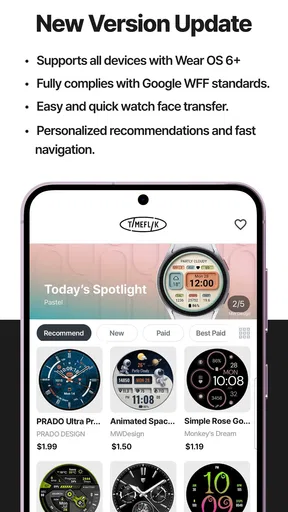
First things first, downloading and setting up TIMEFLIK Watch Faces is a breeze. Available on both Android and iOS, you simply need to snag it from the app store, and you’re good to go. The interface is super user-friendly, even for folks who aren’t super tech-savvy. Once installed, you can dive right into exploring the plethora of watch faces available.
A World of Choices at Your Fingertips
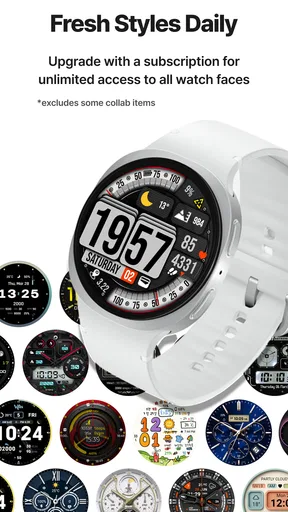
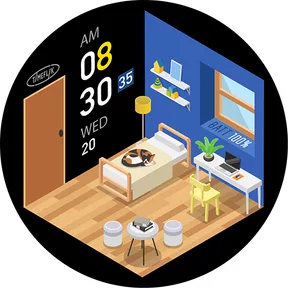
One of the standout features of TIMEFLIK is the sheer variety of watch faces. From digital to analog, from elegant to quirky, there’s something here for everyone. I particularly enjoyed the seasonal collections that add a festive touch during holidays. And if you’re someone who loves to keep things fresh, the app frequently updates with new designs, so there’s always something new to try.
Worth Reading Before You Choose

Switching to Android Auto Means Rethinking Your Driving Routine

Google Calendar Makes a Crowded Week Easier to Manage

Baby Panda World Brings Quick Play to Modern Phones, but Its Game Library Feels Busy

ESPN’s Live Game View Makes Following Close Games Easier

QuizzLand Review: A Good Fit for Short Trivia Breaks, Not Every Player

Basketball Stars: Multiplayer Is Fast, but Can It Recover When Matches Go Wrong?
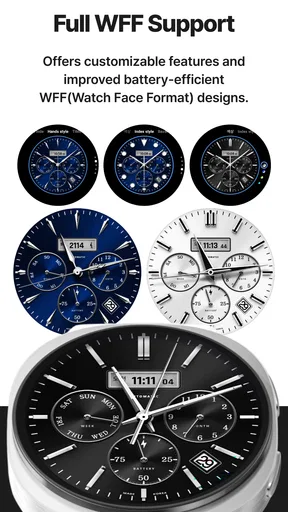
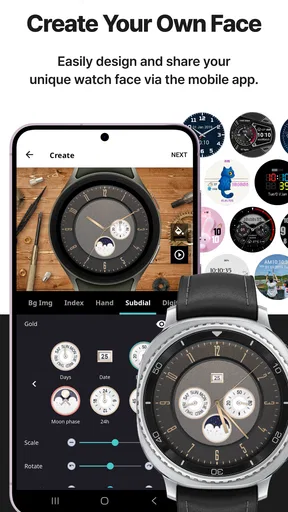
What’s even cooler is the ability to customize these faces. You can tweak the colors, add widgets, and even adjust the layout to suit your preferences. This level of customization means your smartwatch can truly reflect your personality, which is pretty neat!
Choosing a face for the day, not just the screen
I get more value from a design when I start with what I need to read at a glance. For a workday, I’d favor a clear time display and a layout that leaves room for the information I check most. For a weekend walk, a bolder look may be more fun, but only if the time remains easy to spot outdoors. The practical test is simple: look at the preview, then imagine checking it quickly with one hand while carrying a bag or crossing a street.
A useful workflow is to narrow the choice before adjusting details. I’d first decide whether I want analog or digital, then pick a face with a readable arrangement, and only then experiment with colors and widgets. This avoids spending time perfecting a design that turns out to be awkward to use. If a face looks attractive but makes the time or useful information harder to scan, I’d move on rather than treating every customization option as an improvement.
That balance is where a marketplace differs from the small set of faces already available on a watch. Built-in options are usually the easier choice when I want a straightforward, dependable setup with little browsing. TIMEFLIK is more appealing when I want more visual variety and enjoy comparing styles. The trade-off is that browsing itself takes time, and a large choice can make it harder to settle on one face than simply using a default.
Making the design work for your routine
Customization is most useful when it solves a small everyday problem, not just when it adds decoration. If you often check a particular widget, placing it where your eyes naturally land may make the face more practical. If you rarely use extra information, keeping the layout uncluttered can make the time easier to read. I would change one element at a time and wear the face through a normal day before deciding whether the adjustment helped.
For example, imagine getting ready for work while juggling a coffee and a bag. A quick glance should tell you the time without needing to rotate your wrist or study a crowded display. Later, during a quiet evening, you might prefer a more expressive design. TIMEFLIK’s appeal is that it lets the watch’s appearance change with those moods; the sensible approach is to choose a face that still serves its basic job in both settings.
One less obvious trade-off is that a face can look excellent in a bright preview but feel less legible in the conditions where you actually use your watch. I’d test a candidate in ordinary indoor light and outside, and check it while moving rather than only while sitting still. If the contrast is weak or the layout feels busy at a glance, switching to a simpler design is more useful than continuing to fine-tune colors.
Seamless Integration and Performance
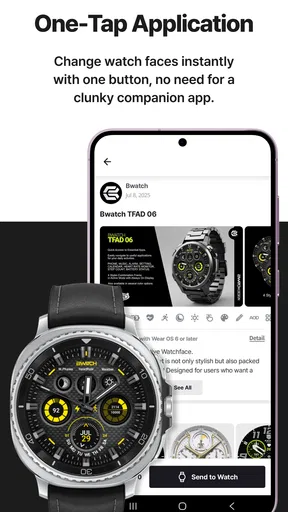
Another thing I appreciate about TIMEFLIK is how seamlessly it integrates with your smartwatch. Once you select a face, it syncs effortlessly without any glitches or lag. The app runs smoothly, and I didn’t encounter any bugs during my testing, which is always a plus in my book.
Performance-wise, the app doesn’t seem to drain the battery excessively, which is crucial if you’re someone who relies heavily on their smartwatch throughout the day. It’s nice not having to worry about constantly recharging.
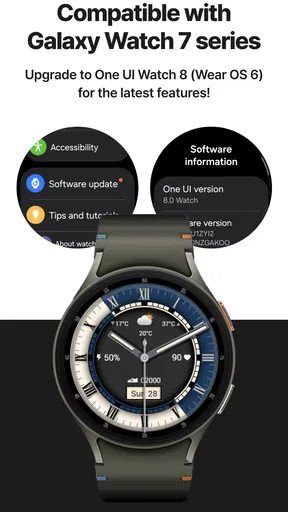
Even so, I would treat compatibility as something to check on my own setup rather than assume every watch and face behaves identically. Before spending time customizing a design, I’d make sure the face appears correctly on the watch and that its important elements remain readable there. A phone preview is only part of the decision; the watch itself is where the result has to work.
Spending carefully and keeping control
TIMEFLIK is free to download, but it also offers in-app purchases priced from about fourteen cents to roughly 155 dollars per item. That is a broad range, so I would check the exact price and what an item includes at the point of purchase rather than assume that every design costs the same. I’d browse the free choices first, then decide whether a paid face is worth it because I expect to use it, not simply because it caught my eye in a moment.
If you share a phone or let someone else use it, it is worth taking a moment to check purchase confirmation settings on the device before exploring paid designs. That is a practical way to avoid an accidental tap becoming a purchase. I’d also keep an eye on whether a selected face is free or paid before moving through a checkout screen; the price range makes checking the individual item more sensible than relying on a general impression that the app is free.
For someone who changes designs often, a paid option may feel worthwhile if it becomes a regular favorite. If you like one dependable face and rarely alter it, the free experience or the watch’s built-in designs may be enough. I would not treat the presence of premium items as a reason to spend; the point is to find a face that improves daily use, and that can be a simple one.
Room for Improvement?
Now, while I’m all praises, there are a couple of things that I think could be improved. For starters, while the app offers a free version, some of the more premium watch faces are locked behind a paywall. It would be great if there were more free options available. Additionally, while the customization options are vast, I’d love to see even more widgets added to the mix.
However, these are minor gripes in an otherwise stellar app that brings a ton of value to smartwatch users.
My main caution is about expectations: more designs do not automatically mean a better daily setup. If you are looking for a highly functional watch experience first, or you prefer not to browse a marketplace, your watch’s built-in faces may be a better fit. Likewise, if you only want a single clean display and do not care about changing its style, TIMEFLIK may add an extra step without changing much about your routine.
Who is likely to enjoy it?
I’d recommend trying it to people who see their watch as both a practical tool and something they can personalize. It suits someone who likes matching a display to work, leisure, or a particular mood, and who is willing to spend a little time testing readability rather than choosing purely from a thumbnail. It can also suit a person who enjoys browsing designs even if they ultimately settle on one favorite.
I’d be more cautious if you want a watch face chosen for you, dislike in-app purchase prompts, or are reluctant to add another app to a personal device. In those cases, starting with the faces already on the watch is a sensible alternative. You can still use the watch comfortably without turning customization into a project, and there is no need to pay for a design unless you genuinely prefer it.
Why TIMEFLIK Stands Out
Ultimately, what sets TIMEFLIK apart is its focus on creativity and personalization. It transforms your smartwatch from a mere gadget into a style statement. The creative freedom it offers is unmatched, and whether you’re a fashionista or a tech enthusiast, there’s something for you here.
For me, the strongest reason to try it is not simply having many choices; it is being able to make a watch feel more like my own without forgetting that clarity matters more than decoration. The current version is 10.2.4, and TIMEFLIK has been around since October 7, 2015. I’d still make my decision based on how it behaves on my device today, how comfortable I feel with the choices presented, and whether I find a face I actually want to wear.
In conclusion, if you’re looking to jazz up your smartwatch and showcase your unique style, give TIMEFLIK Watch Faces a whirl. It’s a fun, dynamic, and practical app that keeps your watch looking sharp no matter the occasion. So go ahead, download it, and let your creativity run wild.
A measured recommendation
My recommendation is to approach it as an optional design tool rather than something every smartwatch owner needs. Start by browsing, keep an eye on permissions and purchase choices, and test a face on the watch during an ordinary day. If the result is easier or more enjoyable to use, TIMEFLIK has done its job for you. If the built-in options already suit your routine, sticking with them is just as reasonable.
Pros
- Extensive variety of watch faces.
- Easy customization options.
- Regular updates with new designs.
- User-friendly interface.
- Compatible with many devices.
Cons
- Limited free watch faces.
- Requires in-app purchases.
- Some designs drain battery quickly.
- Occasional app glitches.
- Ads in the free version.
FAQs for TIMEFLIK Watch Faces
What features does TIMEFLIK Watch Faces offer?
TIMEFLIK Watch Faces provides a wide variety of customizable watch faces for both Android and iOS smartwatches. Users can choose from a plethora of designs, including digital, analog, and hybrid styles. The app also allows for personalization options such as color themes, widgets, and complications to enhance functionality.
Is TIMEFLIK Watch Faces compatible with my smartwatch?
TIMEFLIK Watch Faces is compatible with most Android Wear OS and Apple Watch models. It's advisable to check the app's compatibility section on the download page to ensure your specific smartwatch model is supported. This ensures seamless integration and optimal performance of the watch faces.
Are there any costs associated with using TIMEFLIK Watch Faces?
TIMEFLIK offers both free and premium watch faces. While numerous designs are available at no cost, premium watch faces may require a one-time purchase or a subscription. Premium options usually offer more intricate designs and additional customization features, enhancing the user experience.
How often are new watch faces added to TIMEFLIK?
The developers of TIMEFLIK regularly update the app with new watch faces to keep the collection fresh and engaging. Users can expect frequent additions, which are often themed around seasons, holidays, or popular trends, ensuring a dynamic and ever-evolving selection.
Can I create my own watch face using TIMEFLIK?
While TIMEFLIK primarily offers pre-designed watch faces, it does provide customization options that allow users to modify existing designs. Although creating a watch face from scratch is not currently supported, the app allows for significant personalization through color adjustments and widget placements.


